How to saturate 808s so they hit on phones without losing the sub
Why 808s vanish on phones, where the harmonics have to come from, and three ways to saturate an 808 while keeping its sub clean and its pitch in tune.
By CrystalKarat9 min read
An 808 that shakes the studio monitors can vanish on a phone. The fix everyone reaches for is saturation, and done carelessly it costs exactly what made the 808 good: weight, headroom and a clean pitch. This guide covers why the harmonics work, where they have to come from, three ways to add them without losing the sub, and how to check the result on the speakers your listeners actually use.
Why an 808 disappears on a phone
An 808 is close to a sine wave: nearly all of its energy is in its fundamental. Tuned to F1, that fundamental is 43.7 Hz. Most phone and laptop speakers produce little below about 150 to 200 Hz, so on them the note is simply missing.
Saturation adds harmonics at whole-number multiples of the fundamental. For that F1 they land at 87, 131, 175 and 218 Hz and up. Those are frequencies a small speaker can play, and the ear does the rest: given a series of harmonics, it hears the pitch of the fundamental even when the fundamental itself is absent. That is the whole trick. The 808 doesn’t get louder on a phone; it gets audible.
Where the harmonics have to come from
Here is the part most guides skip. Harmonics of the 808’s fundamental are created only when the fundamental goes through the curve. If you split at 100 Hz and saturate only the band above, you are distorting what little upper content the 808 already had, not creating harmonics of the note.
That is why the usual advice for full mixes, keep the sub band clean, needs adjusting for an 808. You do saturate the low end. What you protect is a dry copy of the sub, so the weight and headroom survive while the harmonics are added on top.
Three ways to do it
1. Drive the whole 808, then blend
The simplest version: a single-band saturator on the 808 with its Mix turned down until the sub sounds as solid as it did dry. Quick, and good for subtle warmth. Its weakness is that the saturated copy also carries a distorted sub, so heavy drive still muddies the bottom.
2. A parallel copy, high-passed
Duplicate the 808 (or send it to a bus), saturate the copy hard, then high-pass the copy after the saturator at around 80 to 120 Hz. The original track carries the clean sub; the copy contributes only the new harmonics. Fade the copy up until the 808 reads on small speakers. Because the filter comes after the curve, the harmonics are of the true fundamental.
3. Multiband, with a mix on the low band
In a multiband saturator, split at around 100 Hz, saturate the low band, and set that band’s own mix to around 30 to 60%. The dry sub and the harmonics come from one band, so nothing needs routing, and the band above can take its own character, or none. This is the tidiest version when your plugin has per-band mix.
Choosing the curve: warm, gritty or clipped
| Sound | Curve | What it adds |
|---|---|---|
| Warm, round | Tube or tape, with bias or asymmetry | Mostly even harmonics: octaves and fifths above the note, which sound musical |
| Gritty, forward | Amp or soft distortion | Odd harmonics too, so it growls and cuts through a dense beat |
| Loud, flat-topped | Soft or hard clipping | Controls peaks as much as it colours; the trap and drill sound when pushed hard |
Even harmonics are the safe choice for a melodic 808, since they reinforce the note. Odd harmonics give more edge, and at high drive they produce intermodulation if the 808 overlaps another bass part. Our guide to saturation and distortion explains why.
Making room for the kick
A saturated 808 is denser, so it masks the kick more than the clean one did. Three things help, in order of how often they are needed:
- Sidechain the 808’s low band from the kick. A few dB of ducking on the sub alone keeps the kick’s thump clear and leaves the 808’s harmonics, which carry it on small speakers, untouched.
- Duck after the saturator. Ducking before it changes how hard the curve is driven, so the 808’s tone pumps with the kick as well as its level. After it, only the level moves.
- Keep the low end mono. Width on the harmonics is fine; width below about 120 Hz smears in mono and on club systems.
Long notes, glides and consistency
An 808 decays, and a saturator drives a decaying note less and less: the attack is gritty, the tail clean. Sometimes that is the sound you want. If the tail should hold its colour, compress the 808 before the saturator so the level into the curve is steadier.
Glides cross the crossover. A note gliding from F1 to F2 moves its fundamental from 44 to 87 Hz, so with a split at 60 Hz it changes bands mid-glide and its tone jumps. Put the crossover above the highest note’s fundamental, or use a gentler 12 dB/oct slope so the change is gradual.
How to check it
- Level-match. Saturation adds level. Compare at matched loudness, or the louder version always wins.
- Listen on a phone or laptop. The real test. Play the beat through the speaker you are fixing it for, and set the harmonics by ear there.
- High-pass the monitor bus temporarily at 150 Hz. A quick stand-in for a small speaker. The 808 should still be clear, in tune and in time.
- Check the meter, not just the sound. Heavy 808 saturation eats headroom; if the master limiter is working harder than before, back the drive or the blend off.
Plugins for 808s
01Forgeby CrystalKarat
Multiband saturatorBest for: Harmonics on the 808 while the sub stays dry underneath
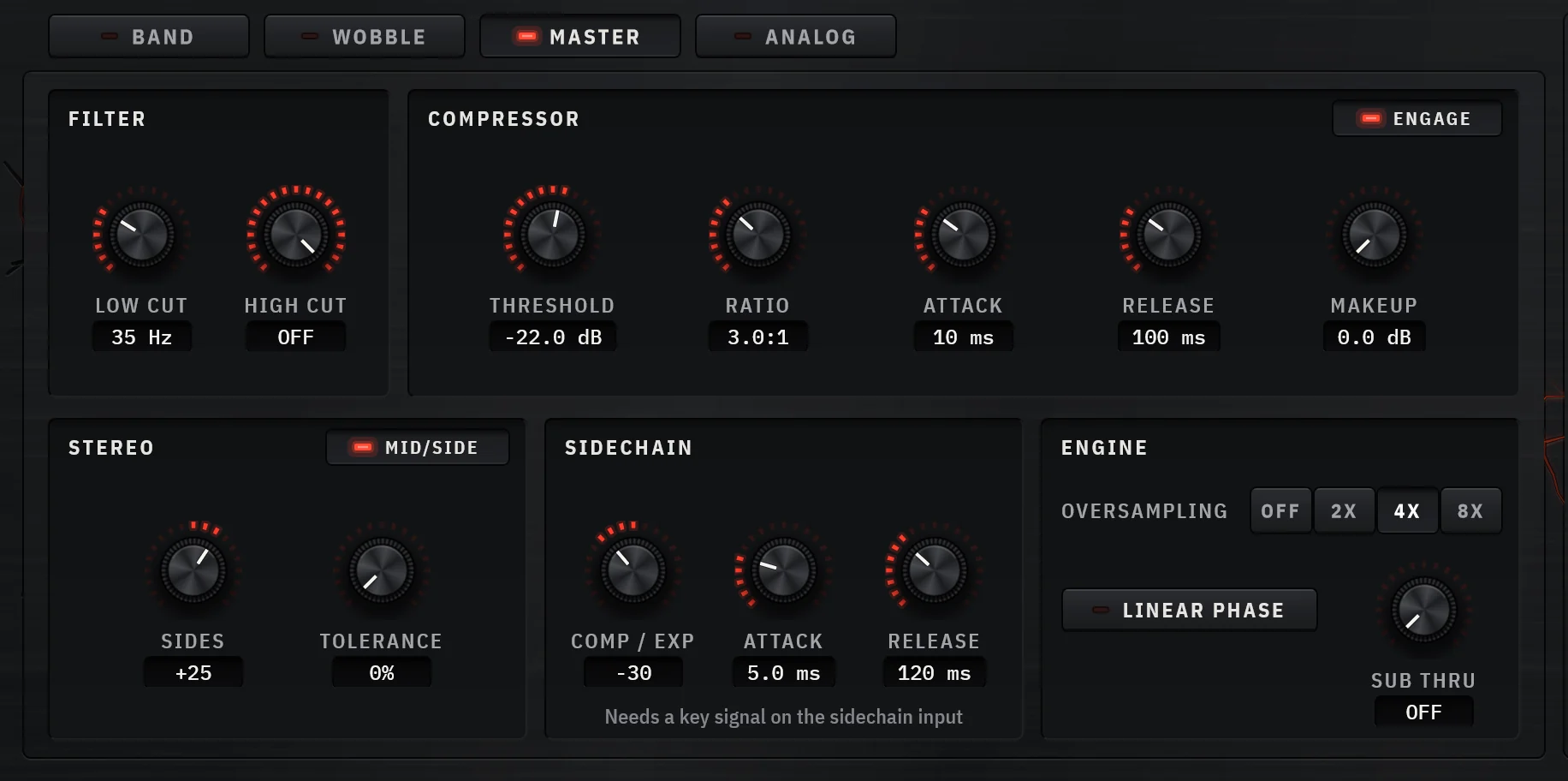
Every method in this guide is a preset or two clicks in Forge. Split the 808 at around 100 Hz, put Tube on the low band with Bias raised for even harmonics, and turn that band’s own Mix down to around 50%: the clean sub stays underneath and the harmonics of the fundamental sit on top. The factory Sub Harmonics preset is exactly that; 808 Weight adds a compressor inside the low band so the harmonics stay even from note to note, with Soft Clip on the band above.
The band-by-band sidechain ducks only the band you choose from the kick, and Mid/Side with per-band width keeps the low end mono while the top of the 808 spreads. Analyze’s Warm and Crush targets set the crossovers and drive from four seconds of your own 808.
Why pick it
- Per-band Mix: saturate the fundamental and keep the dry sub
- Bias for even harmonics without more drive
- Sidechain ducking on one band only
- Factory 808 Weight and Sub Harmonics presets
Know first
- No AAX for Pro Tools yet
- More controls than a one-knob saturator
- Price
- $49 once, or by subscription · 7-day trial, no card
- Formats
- Windows VST3 · macOS VST3 and AU
Forge is ours: CrystalKarat makes it and publishes this blog. Everything else on this list is another company's, and nobody paid to be on it.
Decapitator. Image: Soundtoys 02Decapitatorby Soundtoys
Analog saturation modelerBest for: Fast, characterful 808 drive on a single band
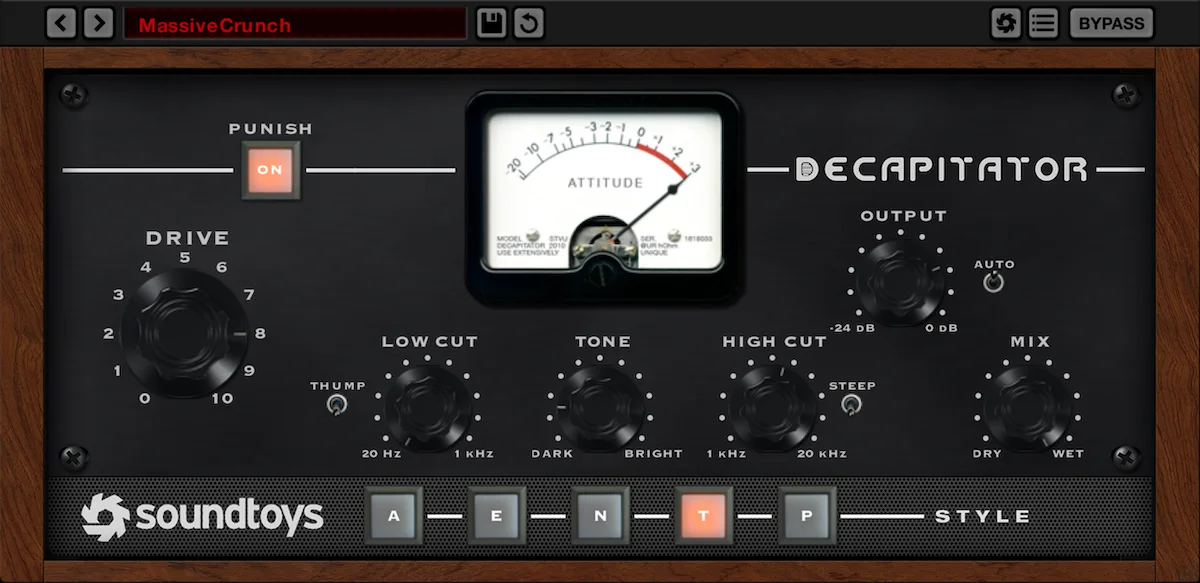
Decapitator’s five styles, Mix knob and low and high cut make it quick to drive a whole 808 and blend it back. Its Thump switch adds a resonant bump at the low cut, and Punish adds 20 dB of drive for the aggressive end of trap and drill.
Why pick it
- Five distinct styles
- Mix, low cut and high cut built in
Know first
- Single band: the sub always goes through the curve unless you blend
Premium · Regularly discounted; part of Soundtoys 5
Soundtoys's page for Decapitator (opens in a new tab)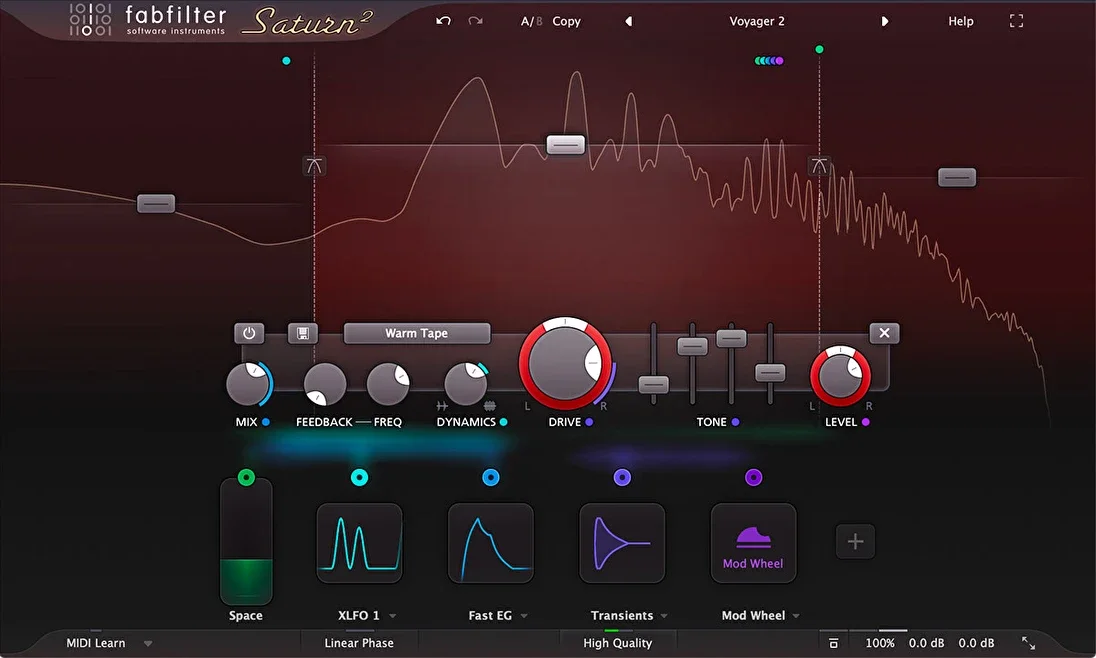
Saturn 2. Image: FabFilter 03Saturn 2by FabFilter
Multiband distortion and saturationBest for: Building the multiband split by hand
Saturn 2 lets you split the 808, choose a style per band and set each band’s own mix, which covers every method here. Its modulation can tie drive to the 808’s envelope, so long notes don’t thin out as they decay.
Why pick it
- Per-band style and mix
- Envelope-driven modulation
Know first
- You set every crossover and level yourself
Mid-price · Also sold in FabFilter's bundles
FabFilter's page for Saturn 2 (opens in a new tab)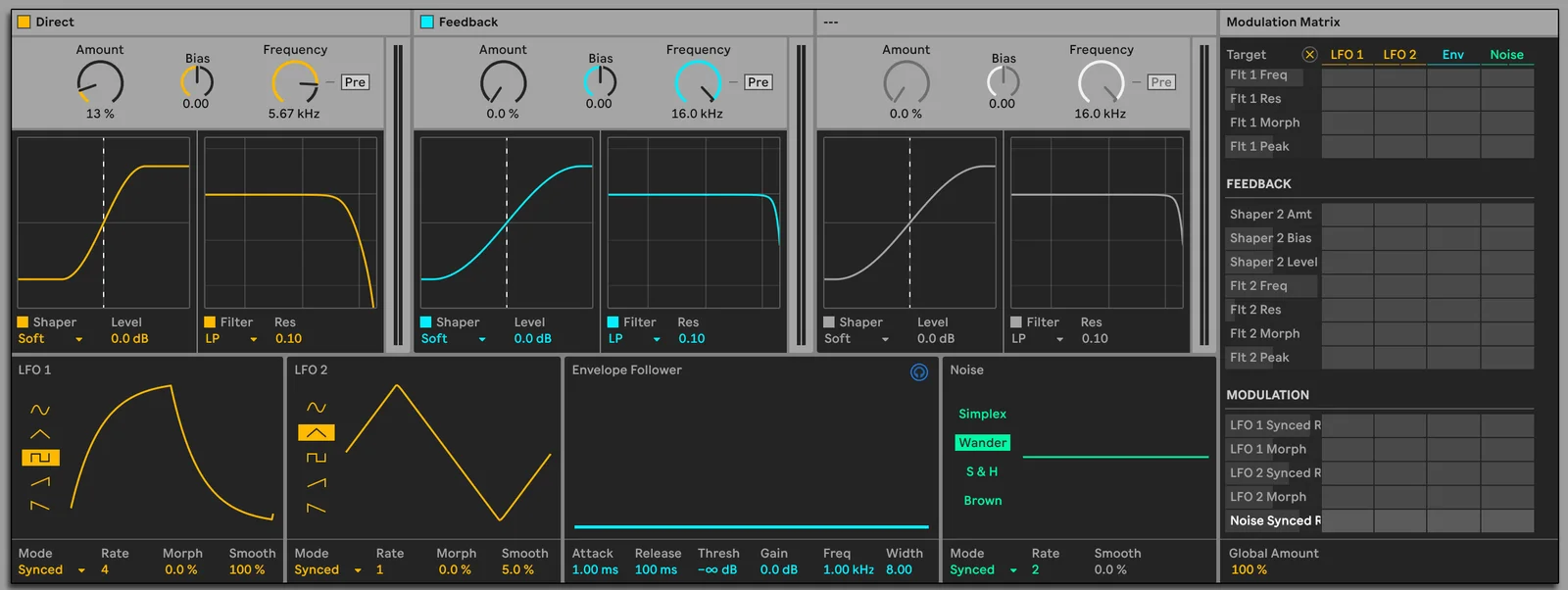
Roar. Image: Ableton Live 12 manual 04Roarby Ableton
Saturation and distortion deviceBest for: Ableton Live 12 Suite users
Roar is already in Live 12 Suite. Its Multiband routing gives the low, mid and high bands their own shaper, and its Dry/Wet control handles the parallel blend.
Why pick it
- Nothing to buy if you have Suite
- Multiband routing and Dry/Wet
Know first
- Live only
- Three bands
Part of a suite or DAW · Ships with Live 12 Suite
Ableton's page for Roar (opens in a new tab)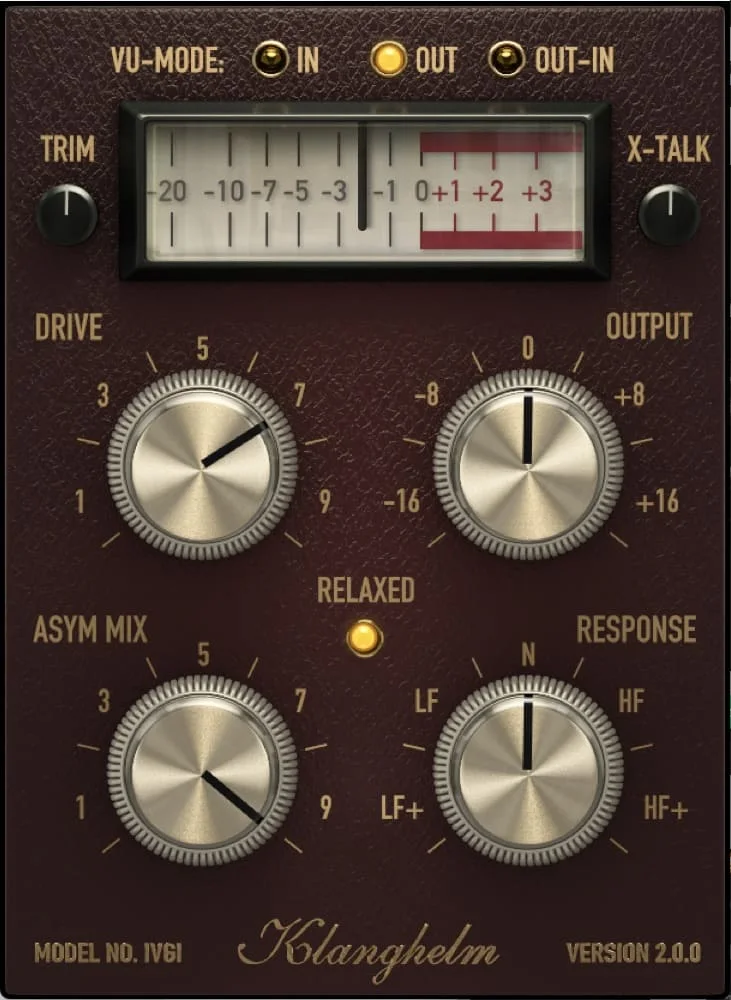
IVGI. Image: Klanghelm 05IVGIby Klanghelm
Subtle to heavy saturationBest for: A free start
IVGI goes from barely there to heavy with one Drive control, and it is free. Put it on a duplicate of the 808 with a high-pass after it, as in method two below.
Why pick it
- Free
- Wide range from subtle to heavy
Know first
- Single band
- The parallel blend is yours to route
Questions
Why does my 808 disappear on phone speakers?
An 808 is close to a sine wave with its fundamental between roughly 30 and 60 Hz, and most phone and laptop speakers produce little below about 150 to 200 Hz. Saturation adds harmonics at multiples of the fundamental, which small speakers can play, and the ear hears the note's pitch from them.
Should I saturate the sub of an 808?
Yes, but in parallel. Harmonics of the 808's note are only created when its fundamental goes through the saturator, so saturate a copy of the low end and keep a clean copy of the sub underneath, either by blending or by high-passing the saturated copy at around 80 to 120 Hz.
What saturation is best for 808s?
Tube or tape with some asymmetry for a warm, melodic 808, since even harmonics reinforce the note; amp or soft distortion for grit that cuts through a dense beat; and soft or hard clipping for the loud, flat-topped trap and drill sound.
Why does my 808 sound out of tune after saturation?
Saturation adds harmonics that make the pitch much easier to hear, so a sample a few cents off the key becomes obviously out of tune. Tune the 808 to the song before saturating it.